AI Temperature Explained: Control Creativity vs Accuracy
What does temperature do in AI models? Learn how it changes randomness, how it differs from top-p, and which settings work best for code, facts, and writing.
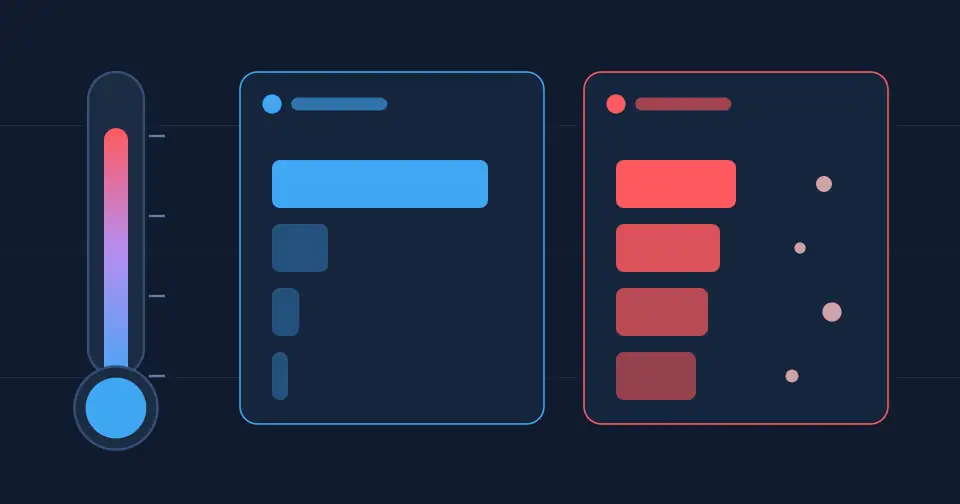
Ask an AI model the same question twice and you may get two different answers. That is not a glitch. It is controlled by a setting called temperature, one of the most useful and most misunderstood parameters in any AI API.
How a language model picks its next word
A language model writes one token at a time. For each step, it gives every possible next token a score. Those scores are turned into probabilities with the softmax function, and the model then samples one token from that distribution.
For example, after "The sky is", the model might rate "blue" at 70%, "clear" at 15%, and "falling" at 1%. Sampling means it usually picks "blue", but not always.
What temperature actually does
Temperature reshapes those probabilities before the model samples. Technically, the scores are divided by the temperature value before softmax.
Low temperature (close to 0). The distribution becomes sharper. The most likely token wins almost every time, so answers are focused, consistent, and predictable.
Medium temperature (around 0.7 to 1). A balance between reliability and variety. Good for natural conversation.
High temperature. The distribution flattens, so less likely tokens get picked more often. Output becomes more surprising and creative, but also more likely to drift or contain errors.
The Hugging Face guide to text generation shows these effects with clear visual examples.
Temperature ranges differ by provider
Not every API uses the same scale. The OpenAI API reference accepts values from 0 to 2, while the Anthropic Messages API uses 0 to 1. Anthropic's documentation also notes that even a temperature of 0 does not guarantee fully identical results. Some newer models restrict or ignore these settings, so always check the docs for the model you use.
Temperature vs top-p
Top-p, also called nucleus sampling, takes a different approach. Instead of reshaping the probabilities, it keeps only the smallest set of tokens whose combined probability reaches p, then samples from that set. The method was introduced in the paper The Curious Case of Neural Text Degeneration by Holtzman and colleagues.
With top-p at 0.9, the model ignores the long tail of unlikely words. OpenAI's reference recommends adjusting temperature or top-p, but generally not both at once, because their effects overlap.
Practical settings by task
Code, data extraction, and classification: use a low temperature (0 to 0.3). You want the same correct answer every time.
Factual Q&A and summaries: stay low to medium. Higher randomness raises the risk of invented details, a problem we explain in our article on why chatbots make things up.
Chat assistants: a medium value keeps replies natural without losing focus.
Brainstorming, stories, and slogans: raise the temperature to get more varied ideas, then pick the best ones yourself.
Change one thing at a time. If results are off, adjust temperature in small steps and compare outputs on the same prompt.
Temperature is not a substitute for a good prompt
Lowering temperature makes a model more consistent, not more correct. If the instructions are vague, you will just get the same vague answer every time. Clear context, a defined format, and examples matter more, as covered in our guide to writing better prompts.
Think of temperature as a creativity dial: turn it down for precision, turn it up for possibilities.
Keep exploring
Once your outputs are stable, you can ground them in real data with retrieval-augmented generation, or discover the AI products we build at Ryuartistry.