How to Write Git Commit Messages Your Team Will Love
Learn to write clear Git commit messages: the 50/72 rule, imperative mood, Conventional Commits, and simple habits that keep your project history readable.
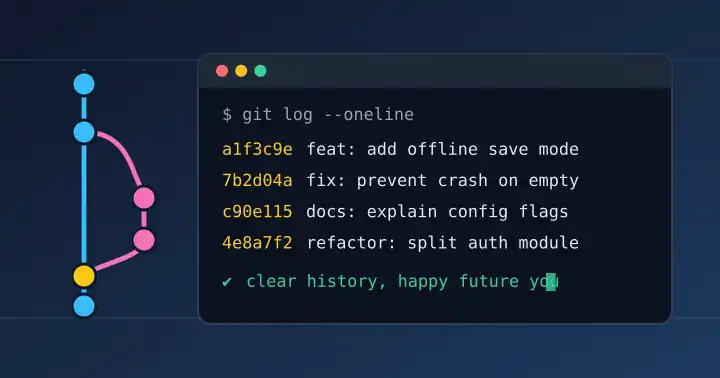
Six months from now, someone will run git log to understand why a line of code exists. That someone might be a teammate, or it might be you. A good commit message answers their question in seconds; a message like "fix stuff" sends them digging through diffs. Here are practical tips to write commit messages that stay useful long after you push.
Why commit messages matter
Code shows what changed. Only the commit message can explain why. A clean history makes code review faster, helps new team members learn the project, and turns tools like git bisect, which uses a binary search to find the commit that introduced a bug, far more effective.
The anatomy of a good commit message
The official Git documentation recommends starting with a short summary line of fewer than 50 characters, followed by a blank line and a more detailed description. Many tools, including git log --oneline and most Git hosting sites, rely on this structure.
Add offline save mode for mobile users

Players on unstable connections lost progress when
the save request timed out. Progress is now stored
locally and synced once the connection returns.

Fixes #142
The 50/72 rule
Keep the subject line around 50 characters and wrap the body at about 72 characters. Short subjects stay readable in one-line views, and wrapped bodies display cleanly in terminals. Chris Beams' widely shared guide, How to Write a Git Commit Message, explains these seven rules in detail.
Use the imperative mood
Write the subject as a command: "Add login rate limit", not "Added login rate limit" or "Adds login rate limit". A simple test: your subject should complete the sentence "If applied, this commit will…". Git itself uses this style for messages it generates, such as "Merge branch…".
Explain the why, not the how
The diff already shows how you changed the code. Use the body to describe the problem, the reason for your approach, and any side effects. The Pro Git book gives the same advice in its guidelines for contributing to a project.
Try Conventional Commits
For teams that want a shared format, the Conventional Commits specification adds a type prefix to each subject:
feat: a new feature
fix: a bug fix
docs:, refactor:, test:, and other types for supporting work
The format maps neatly to Semantic Versioning: fix corresponds to a patch release, feat to a minor release, and a BREAKING CHANGE to a major release. That makes it possible to generate changelogs and version numbers automatically. Whichever style you choose, pick one convention and apply it consistently across the team.
Habits that keep history clean
Make small, focused commits
One logical change per commit. If your subject needs the word "and", consider splitting it. Small commits are easier to review, revert, and search.
Link the work to issues
Reference tickets in the body. On GitHub, keywords such as "Fixes #142" can automatically close the linked issue when the change lands on the default branch.
Review before you push
Before pushing, scan your recent history. Rewording an unclear local commit takes seconds; explaining it later takes much longer.
A commit message is a letter to the future. Write it for someone who has the code but not your memory.
Keep exploring
Clean history is one part of shipping quality software. Our guide to Core Web Vitals in plain language covers how to measure the speed of what you ship, and small AI agents that are actually useful shows how automation can support everyday development. Discover more work on Ryuartistry.