Environment Variables: Keep API Keys Out of Your Code
Hardcoded API keys leak fast. Learn how environment variables, .env files, secret scanning, and key rotation keep credentials out of your code and Git history.
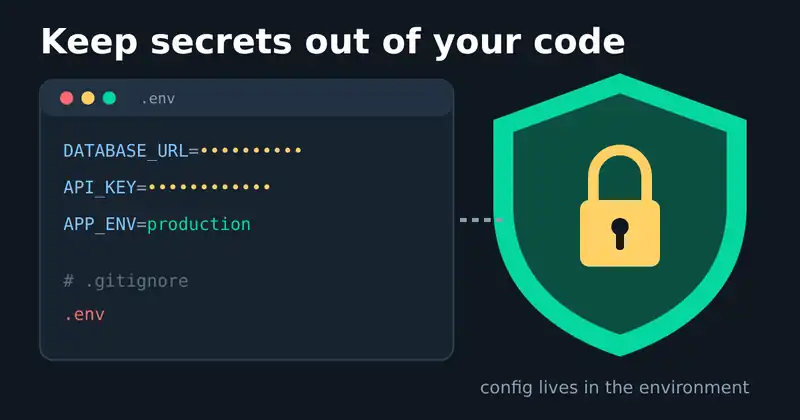
It only takes one commit. A database password or API key pasted into source code, pushed to a public repository, and found by an automated scanner within minutes. According to GitGuardian's State of Secrets Sprawl 2026 report, around 29 million hardcoded secrets were detected in public GitHub commits during 2025, and leaks of AI service keys grew by 81%. The fix starts with a simple habit: keep secrets in environment variables, not in your code.
What environment variables are
Environment variables are key-value pairs that the operating system gives to a running program. Your code reads DATABASE_URL or PAYMENT_API_KEY at runtime instead of storing the value in a file that gets committed.
The well-known Twelve-Factor App methodology recommends exactly this: store config in the environment. It also offers a useful test. Could you make your codebase open source right now without exposing any credentials? If not, some secrets are in the wrong place.
The basic setup
1. Use a .env file for local development
A .env file holds your local values, one per line:
DATABASE_URL=postgres://localhost:5432/app
PAYMENT_API_KEY=sk_test_xxx
Since version 20.6, Node.js can load it without extra packages using node --env-file=.env app.js, as described in the Node.js environment variables documentation. Most frameworks and languages have a similar loader.
2. Ignore it in Git
Add .env to your .gitignore before your first commit. The Git documentation on gitignore explains the pattern rules. Note that ignoring a file does not untrack it if it was already committed.
3. Commit a .env.example instead
Share a template with the variable names and fake values. New team members copy it to .env and fill in their own keys.
Six tips that prevent real leaks
Know what reaches the browser. Frontend build tools inline some variables into public JavaScript. In Vite, only variables prefixed with
VITE_are exposed, as explained in the Vite env guide. Next.js does the same withNEXT_PUBLIC_. Never put a secret behind those prefixes.Use different keys per environment. Development, staging, and production should never share credentials, so a leaked test key cannot touch real data.
Give each key the least privilege. A key that only needs to read should not be able to delete.
Turn on secret scanning. GitHub's push protection blocks pushes that contain known secret formats before they ever reach the repository.
Rotate first, clean up second. If a secret leaks, revoke and replace it immediately. Deleting the commit is not enough, because forks, clones, and caches may already hold a copy.
Use a secrets manager in production. As your team grows, move from plain files to a dedicated vault or your cloud provider's secret store. The OWASP Secrets Management Cheat Sheet covers centralization, access control, rotation, and auditing.
Common mistakes to avoid
Printing all environment variables in logs or error pages while debugging.
Sending
.envfiles through chat apps or email.Pasting real keys into AI coding assistants or screenshots.
Assuming a private repository is safe forever. Repositories change visibility, and team members come and go.
Treat every secret as if it will leak one day. Then make sure that day is boring: rotate the key and move on.
Keep exploring
Clean configuration goes hand in hand with a clean history. Read our guides to writing clear Git commit messages and semantic versioning, or see the software we ship at Ryuartistry.